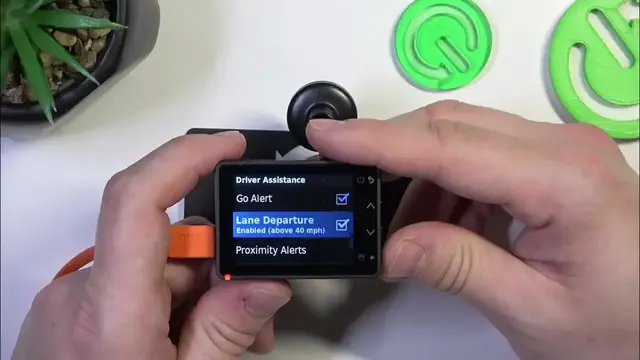

How to Enable or Disable the Lane Departure Function on Garmin DashCam 57
Jan 17, 2024

Find out more: https://www.hardreset.info/devices/
Dive into the world of advanced driving safety with our latest video on the Garmin DashCam 57's lane departure function. This video provides a detailed guide on how to enable or disable this crucial feature, which serves as an extra pair of eyes on the road, alerting you if your vehicle begins to drift out of its lane. We'll discuss the importance of the lane departure warning system in enhancing driving safety and how you can customize it to suit your driving style. Whether you're a tech-savvy driver or new to dashcam technology, this video is packed with valuable insights to ensure you get the most out of your Garmin DashCam 57. Don't forget to subscribe for more tips, tricks, and informative content about your tech gadgets!
Hashtags:
#GarminDashCam57
#LaneDepartureWarning
#SafeDrivingTech
Questions for Engagement:
How to effectively enable the lane departure function on the Garmin DashCam 57?
How to customize the sensitivity of the lane departure warning on your Garmin DashCam 57?
How to disable the lane departure warning on the Garmin DashCam 57 when necessary?
How does the lane departure function enhance your driving safety with the Garmin DashCam 57?
How to troubleshoot common issues with the lane departure feature on the Garmin DashCam 57?
Follow us on Instagram ► https://www.instagram.com/hardreset.info
Like us on Facebook ► https://www.facebook.com/hardresetinfo/
Tweet us on Twitter ► https://twitter.com/HardResetI
Support us on TikTok ► https://www.tiktok.com/@hardreset.info
Use Reset Guides for many popular Apps ► https://www.hardreset.info/apps/apps/
Show More Show Less