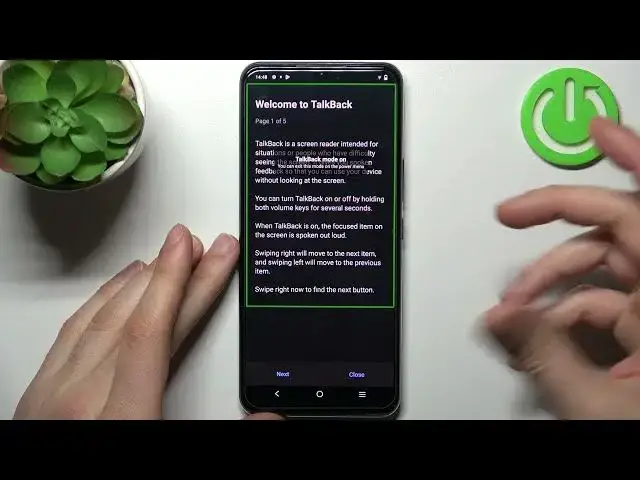

How To Enable & Disable Talkback In VIVO IQOO Z5X
Mar 19, 2024

Check more info about VIVO IQOO Z5X : https://www.hardreset.info/devices/vivo/vivo-iqoo-z5x/tutorials/
In this comprehensive video tutorial, we demonstrate how to enable and disable Talkback on the VIVO iQOO Z5X smartphone. Talkback is an accessibility feature that provides spoken feedback, assisting users with visual impairments in navigating and interacting with their device. We provide step-by-step instructions on enabling Talkback, including accessing the settings menu and toggling the Talkback switch. Additionally, we guide viewers through the process of disabling Talkback, ensuring they can easily turn off the spoken feedback feature on their VIVO iQOO Z5X device.
VIVO iQOO Z5X Talkback tutorial: Enable and disable spoken feedback
How to turn on Talkback on VIVO iQOO Z5X
Step-by-step guide: Enabling Talkback on VIVO iQOO Z5X
Navigating VIVO iQOO Z5X with Talkback: Accessibility feature
Enabling spoken feedback: VIVO iQOO Z5X Talkback feature explained
Disabling Talkback on VIVO iQOO Z5X tutorial
Turning off spoken feedback: VIVO iQOO Z5X Talkback settings
#VIVOIQOOZ5X #talkback #enable
Follow us on Instagram ► https://www.instagram.com/hardreset.info
Like us on Facebook ► https://www.facebook.com/hardresetinfo/
Tweet us on Twitter ► https://twitter.com/HardResetI
Support us on TikTok ► https://www.tiktok.com/@hardreset.info
Use Reset Guides for many popular Apps ► https://www.hardreset.info/apps/apps/
Show More Show Less