0:00
Hi everyone, in front of me I've got Xiaomi 13T Pro and let me share with you how to enable the developer options on this device
0:10
So let's start with opening the settings and then we have to tap on About Phone
0:15
Now let's localize the MIUI version which is right here, just under this highlighted area and keep tapping on it until you'll see that you're in the developer mode
0:25
So keep tapping and here we've got this information. If you've got any kind of screen occurring set, your device will probably ask you to enter it in order to confirm the whole step and then we can go back
0:37
Now we have to scroll down in order to find additional settings
0:41
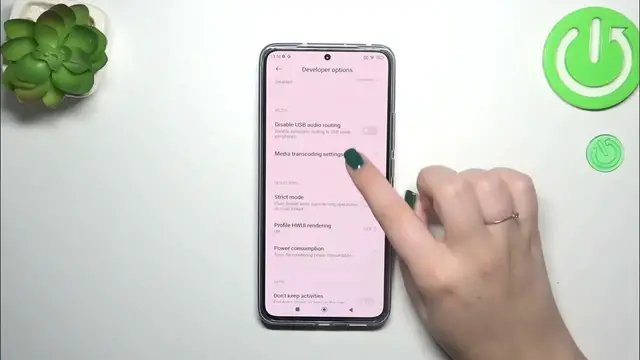
So let's tap on them and scroll down. Here we've got the developer options so we have to tap on it and as you can see we've got plenty of advanced settings which we can customize
0:51
So for example we can customize the monitoring, we can enable the strict mode
0:56
We can customize the animation scale, the window animation scale, transition animation scale, animation
1:03
We can show visual feedback for tabs which is usually available only in the screen recorder
1:08
Here we've got some options which are connected with the networking. We've got the Bluetooth, USB, Wi-Fi, etc
1:14
A lot of advanced options and of course because they are advanced, be aware with customizing them
1:20
You simply customize the options, you really know what will do to your device
1:26
So in order to turn on the feature, all you have to do is to basically tap on the switcher and as you can see it will be immediately active and applied
1:34
Of course you can turn it off the same way. If you've got the options without the switcher like here, simply tap on the option to open the list of other possibilities, other features
1:45
Of course if you're done with customization of developer options and if you want to turn them off so you don't want to have them visible on the list
1:53
simply go to the very top of this developer options list and tap on the switcher
1:58
And as you can see thanks to this most of the options will be inactive and after getting back to the additional settings you can see that they simply disappeared
2:06
But of course no worries, you can customize them again. Just go back to the MIUI version step in the about phone section and keep tapping to activate them
2:17
Alright, so that would be all. Thank you so much for watching. I hope that this video was helpful and if it was, please hit the subscribe button and leave the thumbs up