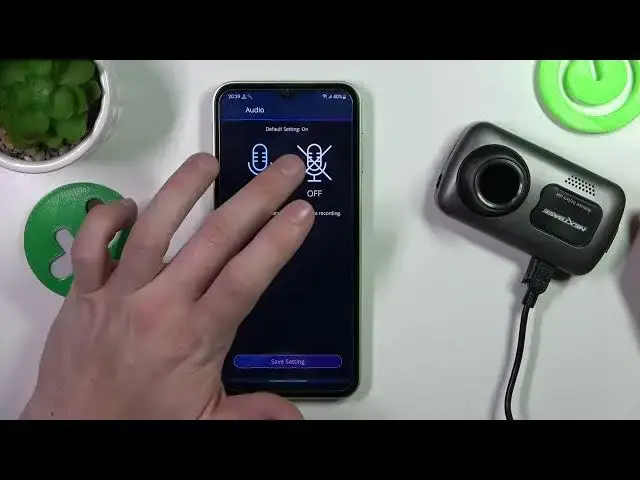

How to Enable Audio Recording on a NEXTBASE Dashcam 622GW - Add Audio on a NEXTBASE Dashcam 622GW
Jul 28, 2024

Find out more about NEXTBASE Dashcam 622GW: https://www.hardreset.info/devices/nextbase/nextbase-dashcam-622gw/
Welcome back to our channel where we bring you the latest and greatest gadgets. Today, we're taking a look at the Nextbase Dashcam 622GW, the newest addition to the Nextbase lineup. In this video, we'll show you how to enable and disable audio in English and take you through some of the standout features of this impressive device. The 622GW is a top-of-the-line dashcam that boasts a number of impressive features, including 4K HD video quality, a 140-degree wide-angle lens, and an anti-glare polarizing filter. However, one of the most useful features of this dashcam is the ability to enable and disable audio in English. This feature allows you to record audio commentary during your travels, or simply turn it off for more privacy.
In addition, the 622GW also includes a number of other features that make it stand out from the crowd. For example, it has built-in GPS and Wi-Fi connectivity, which allows you to easily share your footage with friends and family or upload it to social media. It also has an intelligent parking mode, which automatically records any incidents that may occur while your car is parked.
How to add audio to the video footage on a NEXTBASE Dashcam 622GW?
How to adjust audio settings on a NEXTBASE Dashcam 622GW?
#nextbase #dashcam #622GW
Follow us on Instagram ► https://www.instagram.com/hardreset.info
Like us on Facebook ► https://www.facebook.com/hardresetinfo/
Tweet us on Twitter ► https://twitter.com/HardResetI
Support us on TikTok ► https://www.tiktok.com/@hardreset.info
Use Reset Guides for many popular Apps ► https://www.hardreset.info/apps/apps/
Show More Show Less