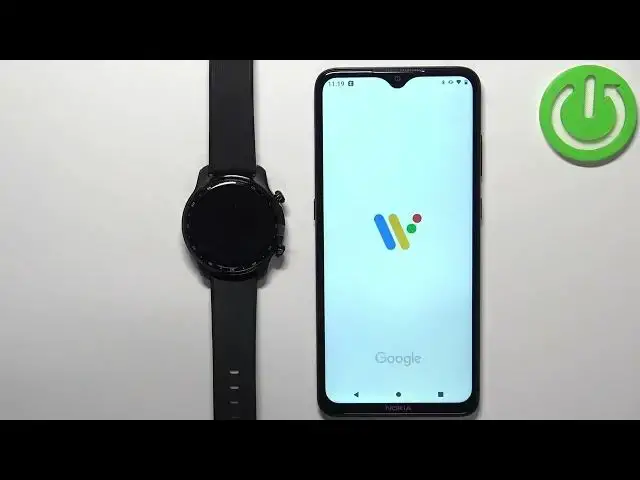
0:00
Witam, przed sobą mam TicWatch Pro 3 Ultra
0:04
i pokażę wam jak ustawić notyfikacje telefonu na ten smartfon W zasadzie jeśli chcecie otrzymać notyfikacje telefonu na smartfonie
0:19
Przed rozpoczęciem, jeśli chcecie otrzymać notyfikacje telefonu na swoim smartfonie Warto mieć swój smartfon podłączony do swojego telefonu przez aplikację WearOS
0:29
Po połączeniu obydwu narzędzi możemy kontynuować Teraz musimy upewnić się, że pozwolenia na aplikację WearOS są pozwolene do odbicia notyfikacji telefonu
0:43
Znajdźmy aplikację WearOS i wciśnijmy wcisk na nią Znowu wciśnijmy wcisk na nią i wciśnijmy wcisk na opcję pozwolenia na odbicie notyfikacji
1:00
I tutaj widzicie listę pozwoleń i nie pozwolenia na odbicie notyfikacji Upewnijcie się, że macie zapisy, kontakty, telefon i pozwolenia na odbicie notyfikacji
1:16
Po odbiciu można przyciskać na nie pozwolenie na listę pozwolenia na odbicie notyfikacji
1:23
I wciśnijmy wcisk na pozwolenie na odbicie notyfikacji I jak pozwolone to pojawi się na listie pozwolenia na odbicie notyfikacji
1:31
Więc trzeba mieć zapisy, kontakty, telefon i SMS Jak pozwolone to zamknijmy menu
1:38
Teraz możemy otworzyć ustawienia na naszym telefonie W ustawieniu musimy znaleźć dostęp do notyfikacji
1:47
Możemy przyciskać na poszukiwanie, wciśnijmy na dostęp do notyfikacji I przyciskamy na poszukiwanie
1:55
Ta opcja powinna pojawić się, przyciskamy na to i tutaj przyciskamy na dostęp do notyfikacji
2:01
Teraz znaleźć aplikację Wear OS na listie I powinno powiedzieć pozwolenie tutaj pod ni�
2:08
Jeśli nie, przyciskamy na to, przyciskamy na ten przycisk tutaj I przyciskamy na pozwolenie
2:14
I jak przycisk jest przyciskowany to zobaczysz, że pozwolenie jest pozwolene I możemy zamknąć ustawienia
2:20
Teraz możemy otworzyć aplikację Wear OS na naszym telefonie I jak otworzyliśmy aplikację powinno być na naszej stronie
2:30
Na tej stronie skręcamy i znaleźliśmy opcję notyfikacji Przyciskamy na to i tu mamy dwa opcje
2:40
Silencjowy telefon, gdy nosimy obudowę i zmieniając notyfikacje Najpierw przyciskamy na silencjowy telefon, gdy nosimy obudow�
2:48
I tutaj możemy zainstalować zaniesienie wchodzących zadbójów i zaniesienie notyfikacji Właściwie jeśli zainstalujesz zaniesienie wchodzących zadbójów i nosisz obudowę na ręce
2:59
Zaniesienie wchodzących zadbójów na telefonie zostanie zaniesione Ale dostaniesz zaniesienie wchodzących zaniesień na obudow�
3:05
A jeśli zainstalujesz zaniesienie wchodzących zadbójów i notyfikacji to samo będzie zaniesienie wchodzących zaniesie�
3:12
Następna opcja to zmieniając notyfikacje w obudowę I tutaj możemy ustalić z jakich aplikacji chcemy dostać zaniesienie wchodzących zaniesienia w obudow�
3:22
Możesz je ustalić lub zaniesić klikając na przycisk pod obudową Możesz też wybrać listę zaniesień w obudowie
3:29
I można je ustalić do twojej ulubień Więc jak już ustalisz zaniesienie wchodzących zaniesień w obudowie
3:37
To powinieneś dostać zaniesienie wchodzących zaniesień w obudowie Więc zacznę wysłać sobie wiadomość na Discord
3:52
Jak widać dostaliśmy zaniesienie wchodzące z telefonu I powinniśmy też dostać zaniesienie wchodzące z oglądania
3:59
Więc jeśli wstajemy na ekranie na oglądanie, wyłączamy z górnego ekranu To otwiera notyfikacje
4:05
I jak widać mamy to tutaj Możemy kliknąć na to aby to ogląda�
4:09
Możemy odpowiadać na to Możemy otworzyć to na telefonie I możemy to wyczyści�
4:15
Albo możemy kliknąć na Marka z Re I tak to wyłącza się zaniesienie wchodzące z oglądania na telefonie Android
4:21
I tak to wyłącza się zaniesienie wchodzące z oglądania na telefonie Android I tak to wyłącza się zaniesienie wchodzące z oglądania na telefonie Android
4:25
Dzięki za oglądanie Jeśli ci się podobało filmik Proszę subskrybować nasz kana�
4:31
I zostawić lajk na filmik