0:00
This is OpoPad Air and in today's video I will show how you can download and install the Fortnite game on it
0:12
So, to start, open Google search bar or any other search bar, I mean search engine that you use
0:18
Then type in the Fortnite APK among the search results that you will get
0:22
You will need to look for either the EpicGames.com website or Fortnite.com official website will do just fine as well
0:29
So, open whatever webpage popped up first from the two aforementioned websites of course
0:36
Then confirm that you would like to download the file. Then launch the file or open the file
0:45
In here as you can see prior to installing the Epic Games Store we will need to grant Google Chrome or in your case it can be any other browser
0:54
with the allow apps from this source permission or install unknown apps permission
0:58
After this permission was granted confirm the Epic Games Store installation then launch it
1:04
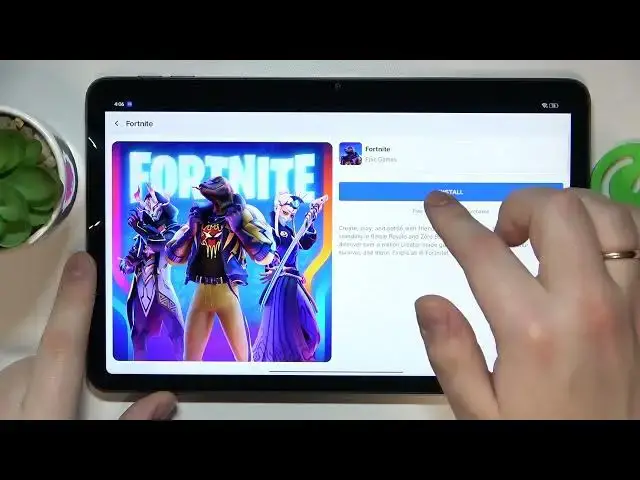
Onwards you will need to open the Fortnite game page and tap at the install button over here
1:15
As you can see once the game was successfully downloaded but is yet to be installed
1:21
the system asks that we allow Epic Games Store the same permission we granted the Google Chrome with which is the install unknown apps
1:30
So, let me do exactly that but this time for the Epic Games Store app. Then confirm the Fortnite installation and then wait for the game to be installed
1:42
Now I can go ahead and launch the Fortnite and the only thing that is left for me to do
1:47
is to wait until the game will get all the remaining updates and resources
1:53
which are just over 7GB in file size and after all necessary things will be downloaded you will be finally able to start playing the Fortnite
2:06
Alrighty, so that would be it for this video guys. Thanks for watching, thanks for your attention and bye bye
2:17
Epic Games Store, Epic Games Store, Epic Games Store, Epic Games Store, Epic Games Store, Epic Games Store, Epic Games Store, Epic Games Store, Epic Games Store, Epic Games Store, Epic Games Store, Epic Games Store, Epic Games Store, Epic Games Store, Epic Games Store, Epic Games Store, Epic Games Store, Epic Games Store, Epic Games Store, Epic Games Store, Epic Games Store, Epic Games Store, Epic Games Store, Epic Games Store, Epic Games Store, Epic Games Store, Epic Games Store, Epic Games Store, Epic Games Store, Epic Games Store, Epic Games Store, Epic Games Store, Epic Games Store, Epic Games Store, Epic Games Store, Epic Games Store, Epic Games Store, Epic Games Store, Epic Games Store, Epic Games Store, Epic Games Store, Epic Games Store, Epic Games Store, Epic Games Store, Epic Games Store, Epic Games Store, Epic Games Store, Epic Games Store, Epic Games Store, Epic Games Store, Epic Games Store, Epic Games Store, Epic Games Store, Epic Games Store, Epic Games Store