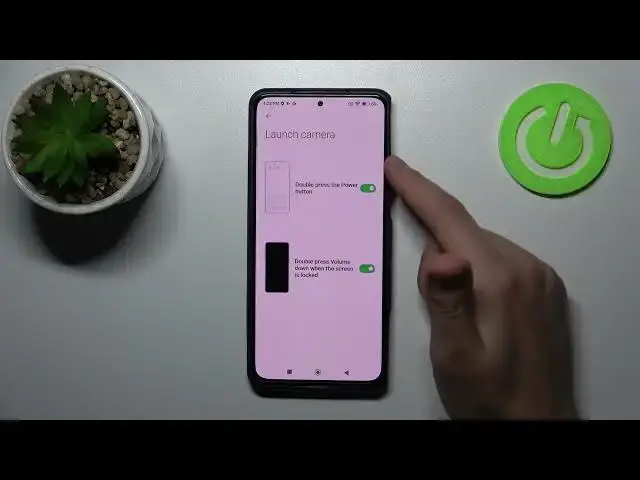

How to Customize Quick Launch Double Tap Power Key or Volume Key on Xiaomi Black Shark 5
Mar 31, 2024

Find out more about customizing quick launch in Xiaomi Black Shark 5:
https://www.hardreset.info/devices/xiaomi/xiaomi-black-shark-5/tutorials/
Hello. Today, we are going to show you how to customize the Quick Launch Double Tap Power Key in Xiaomi Black Shark 5. We will present how to find and adjust gesture shortcuts on this device. Enjoy the video and customize your quick launch button. If you want to know more about your Xiaomi Black Shark 5, visit our YouTube channel.
How to customize the Quick Lunch Volume Key in Xiaomi Black Shark 5? How to adjust the Quick Launch Double Tap Power Key in Xiaomi Black Shark 5? How to open gesture shortcuts settings in Xiaomi Black Shark 5? How to take a screenshot using the buttons on Xiaomi Black Shark 5?
#CustomizeQuickLaunch #AdjustGestureShortcucts #XiaomiBlackShark5
Follow us on Instagram ► https://www.instagram.com/hardreset.info
Like us on Facebook ► https://www.facebook.com/hardresetinfo/
Tweet us on Twitter ► https://twitter.com/HardResetI
Support us on TikTok ► https://www.tiktok.com/@hardreset.info
Use Reset Guides for many popular Apps ► https://www.hardreset.info/apps/apps/
Show More Show Less