0:00
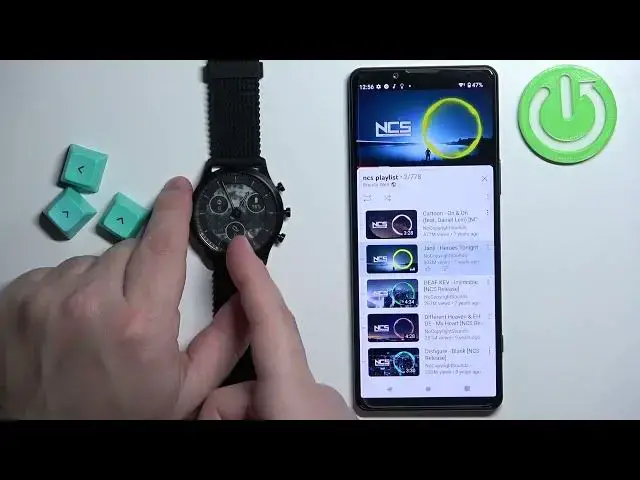
Welcome! In front of me I have Skagen Hybrid HR and I'm gonna show you how to control the music on your phone with this watch
0:12
Before we start, if you want to control the music on your phone with this watch, your watch needs to be paired with your phone via the Skagen Smartwatches application
0:20
Once the devices are paired together, we can continue. Now I'm gonna open YouTube and play some music there, but you can use any type of music application like Tidal, Spotify and stuff like that
0:33
So I'm gonna open YouTube. As you can see here we have a playlist and I can start playing it by pressing on the play button
0:41
And once you open the music application, your watch should detect that you're playing music
0:46
So now we can open the music widget or I would call it widget basically by pressing and holding the middle button to open the menu
0:57
And then you can use the upper button to scroll through the menu, select the music control and press middle button to open the widget
1:06
And here we have it. And we can do couple of things. We can press and hold the upper button to pause or play the music
1:14
Let me move my phone a little further like this. So we can press and hold to play it, press and hold to pause it like this
1:22
We can press and hold the lower button to go to the next song
1:30
Come on. And maybe it needs to be playing so let's start playing it
1:36
Then press and hold the lower button. To skip to next song
1:40
And we can also use the lower and upper buttons to adjust the sound volume on our phone
1:48
So we don't need to press and hold them but if you press them, simply press them like that, you can adjust the sound volume
1:57
Okay. And if you're done controlling the music on your phone, you can press the middle button to go back to menu
2:06
And then you can select the home option like this and press the middle button to go back to watch face. Okay
2:16
Okay. By default, if you didn't change anything, you can also press the lower button on the watch face, on the home screen, to open the music control quickly
2:27
You don't need to go through the menu. And here again you can control the music however you want. Okay
2:34
And that's how you control the music on your phone with this watch. Thank you for watching
2:38
If you found this video helpful, please consider subscribing to our channel and leaving a like on the video
2:46
www.microsoft.com www.facebook.com www.youtube.com www.youtube.com