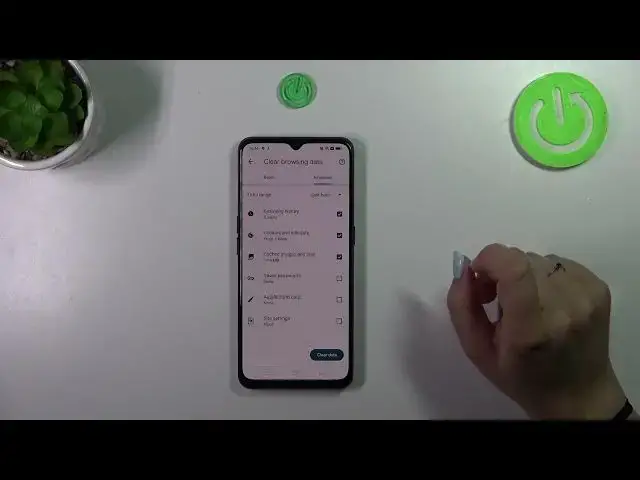

How to Clear Browsing History on OPPO Find X2 Lite - Erase Browser Data
Mar 10, 2024

Learn more info about OPPO Find X2 Lite:
https://www.hardreset.info/devices/oppo/oppo-find-x2-lite/
Looking to access browser settings to clear your browsing history on the OPPO Find X2 Lite? Interested in enabling options for erasing browser storage? Our step-by-step instructions will guide you through the process of smoothly clearing your browsing history on the OPPO Find X2 Lite. Whether you want to delete cached files, cookies, or site settings on the Oppo browser, we've got you covered. Stick with us to find your way to the browser settings and effectively clear the storage of the Chrome browser. Let's follow this tutorial and successfully clear your browsing data on the OPPO Find X2 Lite. For more valuable tutorials on the OPPO Find X2 Lite, explore our HardReset.info YT channel.
How to delete the history browser in OPPO Find X2 Lite? How to clear history in OPPO Find X2 Lite? How to delete cookies files in OPPO Find X2 Lite? How to clear cache in OPPO Find X2 Lite? How to delete page history in OPPO Find X2 Lite? How to erase Chrome data in OPPO Find X2 Lite? How to delete website data in OPPO Find X2 Lite?
#ResetBrowserData #CleanBrowsingHistory #OPPOFindX2Lite
Follow us on Instagram ► https://www.instagram.com/hardreset.info
Like us on Facebook ► https://www.facebook.com/hardresetinfo/
Tweet us on Twitter ► https://twitter.com/HardResetI
Support us on TikTok ► https://www.tiktok.com/@hardreset.info
Use Reset Guides for many popular Apps ► https://www.hardreset.info/apps/apps/
Show More Show Less