0:00
Hi everyone, in front of me I've got Vivo Y01 and let me share with you how to check
0:11
total screen time on this device. So first of all let's enter the settings and here we have to scroll down to the very, very
0:18
bottom to find digital well-being and parental controls. And as you can see, of course if you will enter this option for the very first time
0:26
you will have to pick if you'd like to enter digital well-being or parental controls
0:31
So simply tap on digital well-being and as you can see right in the middle we've got
0:34
the graph which will show us for how long we've been using this device today
0:38
And in my case I've spent 7 minutes on the screen and most of the time as you can see
0:44
on the settings. What's more here we've got the unlocks and notifications count
0:48
And here we've got actually two different ways to check more details
0:52
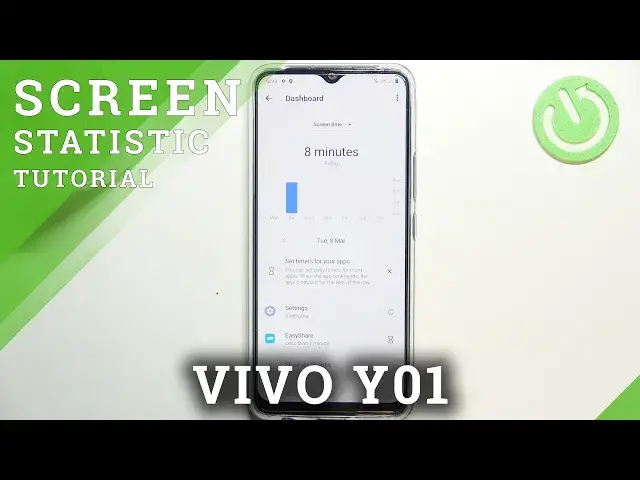
So first of all we can tap right in the middle of the graph just like that in order to show
0:57
the dashboard. And as you can see here we've got the weekly graphs so we will be able to check for how
1:02
long we've been using the screen every day and we can check particular apps
1:09
Let's get back. And the other option is to simply tap on the app
1:13
So usually you will have plenty of apps here and all you have to do is to simply tap on
1:17
particular app in order to check the graphs which are connected only to it
1:22
So of course again daily or hourly. Just like you want to
1:27
Let's get back and let me quickly explain here we've got some ways to disconnect
1:32
You've got the dashboard or focus mode which is quite cool option because if sometimes
1:38
you just need the time for yourself or the bedtime you'd like to focus, work or simply
1:44
rest without any disturbance then you will be able to set up the focus mode
1:49
So your device will simply show you all apps. You will be able to pick the most distracting ones
1:58
You will be able to set the schedule and in chosen hours or days your device will simply
2:05
let's say block notifications from those apps so you won't be disturbed
2:09
Under it we've got reduce interruptions so you can manage notifications and do not disturb
2:14
mode which are let's say like basic options in your device. Of course you can enter parental controls here
2:22
So actually this is it. This is how to check total screen time in your Vivo Y01
2:27
Thank you so much for watching. I hope that this video was helpful and if it was please hit the subscribe button and