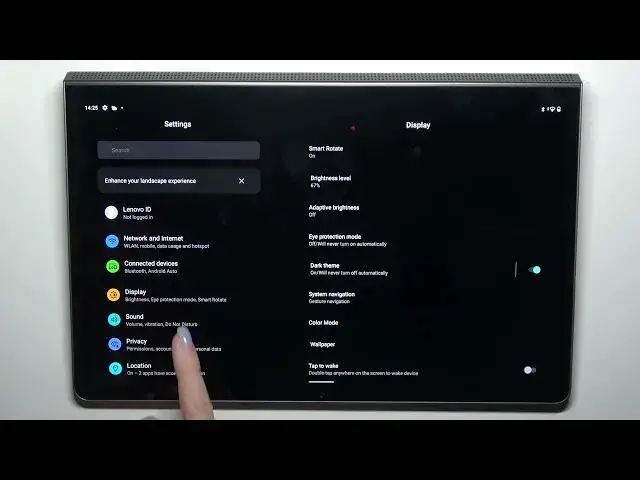

How to Change the Screen Timeout Value on a LENOVO Yoga Tab 11
Mar 20, 2024

Learn more about the LENOVO Yoga Tab 11: https://www.hardreset.info/devices/lenovo/lenovo-yoga-tab-11-lte/tutorials/
In this video, we will show you how to modify the auto screen off value on your LENOVO Yoga Tab 11. The auto screen off feature is a useful feature that helps conserve battery life by turning off the screen after a certain period of inactivity. However, the default time settings may not be suitable for everyone's needs. In this video, we'll guide you through the necessary steps to modify the auto screen off value, including accessing the settings menu and selecting the desired time limit. You'll also learn how to turn off the auto screen off feature entirely if needed. By the end of this video, you'll be able to customize the auto screen off value on your LENOVO Yoga Tab 11 to better suit your preferences and extend your device's battery life.
How to modify the auto screen off value on a LENOVO Yoga Tab 11? How to increase the display sleep delay on a LENOVO Yoga Tab 11? How to change the value for the screen idle time on a LENOVO Yoga Tab 11?
#LENOVOYogaTab11 #ScreenTimeout #LENOVODisplay
Follow us on Instagram ► https://www.instagram.com/hardreset.info
Like us on Facebook ►
https://www.facebook.com/hardresetinfo/
Tweet us on Twitter ► https://twitter.com/HardResetI
Support us on TikTok ► https://www.tiktok.com/@hardreset.info
Use Reset Guides for many popular Apps ► https://www.hardreset.info/apps/apps/
Show More Show Less