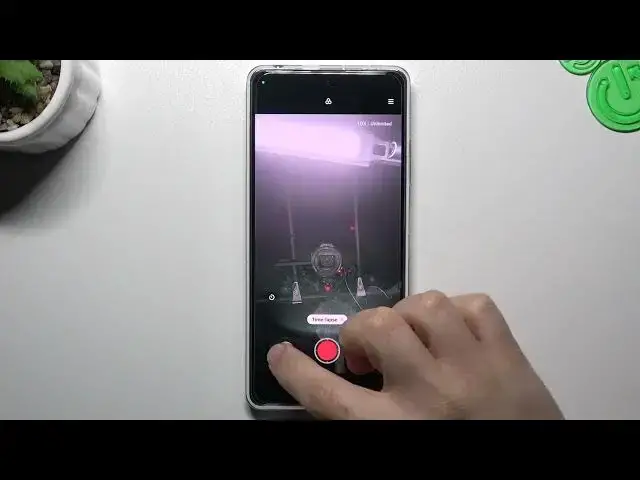

How to Change the Camera Timelapse Speed on a REDMI Note 12 Pro
Jul 29, 2024

Learn more about the REDMI Note 12 Pro: https://www.hardreset.info/devices/redmi/redmi-note-12-pro/tutorials/
In this video, we will show you how to increase or reduce the camera timelapse speed on your REDMI Note 12 Pro. Timelapse is a feature that captures a series of photos at regular intervals and plays them back as a fast-motion video. By adjusting the timelapse speed, you can control the pace of the video and create different visual effects. We will demonstrate how to access the timelapse settings, where you can choose from preset intervals or set a custom interval to suit your needs. We will also show you how to adjust the playback speed of the timelapse video, ranging from slow-motion to hyperlapse. Whether you want to capture the beauty of a sunset, the hustle, and bustle of a city, or the growth of a plant, adjusting the camera timelapse speed can help you achieve the desired result. With our step-by-step guide, you can make the most of your REDMI Note 12 Pro camera timelapse feature.
How to slow the timelapse speed down on a REDMI Note 12 Pro? How to increase the camera timelapse speed on a REDMI Note 12 Pro? How to adjust the timelapse rate on the camera of REDMI Note 12 Pro?
#REDMINote12Pro #Timelapse #XIAOMICamera
Follow us on Instagram ► https://www.instagram.com/hardreset.info
Like us on Facebook ►
https://www.facebook.com/hardresetinfo/
Tweet us on Twitter ► https://twitter.com/HardResetI
Support us on TikTok ► https://www.tiktok.com/@hardreset.info
Use Reset Guides for many popular Apps ► https://www.hardreset.info/apps/apps/
Show More Show Less