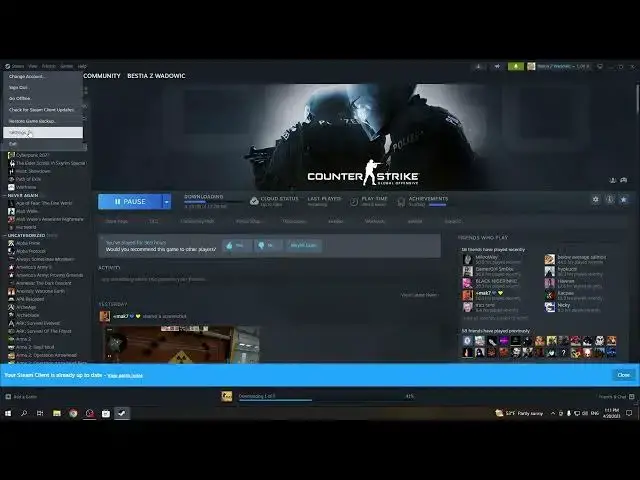

How To Change Overlay Shortcut In Steam 2023| Steam NEW UI UPDATE
Jul 30, 2024

Check More Info about Steam On : https://www.hardreset.info/devices/apps/apps-steam/
This video tutorial will guide you through the process of changing the overlay shortcut in Steam in 2023. The Steam overlay is a feature that allows you to access various functions, such as chatting with friends, checking your achievements, and accessing your game library, without having to leave your game. By default, the overlay is accessed by pressing Shift+Tab, but you can customize this shortcut to use any key or combination of keys that you prefer. The tutorial will provide step-by-step instructions on how to access the Steam settings, navigate to the overlay shortcut settings, customize the shortcut, and test your new settings. Whether you're looking to streamline your gaming experience or want to avoid accidentally accessing the overlay, this tutorial will show you how to change the overlay shortcut in Steam 2023 with ease.
How to switch overlay shortcut on Steam ?
How to pick overlay hotkey on Steam April Update ?
Can i change overlay shortcuts on Steam UI Update ?
How to use different button for overlay in Steam 2023 ?
Where can i change overlay buttons on Steam UI Update 2023 ?
#Steam #steamgames #Settings
Follow us on Instagram ► https://www.instagram.com/hardreset.info
Like us on Facebook ► https://www.facebook.com/hardresetinfo/
Tweet us on Twitter ► https://twitter.com/HardResetI
Support us on TikTok ► https://www.tiktok.com/@hardreset.info
Use Reset Guides for many popular Apps ► https://www.hardreset.info/apps/apps/
Show More Show Less