
How to Change Default Font in Outlook
Mar 3, 2024

Find out more: https://www.hardreset.info/devices/
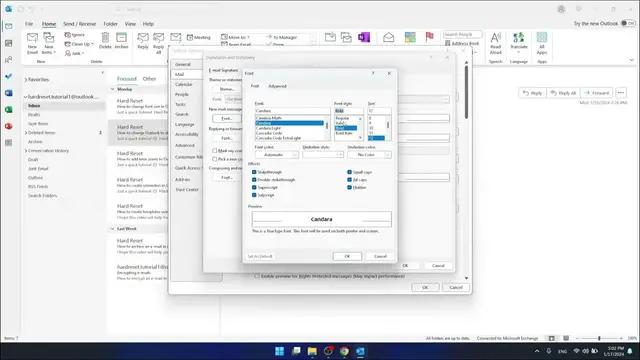
Embark on a journey to personalize your Outlook experience with our latest tutorial on how to change the default font in Microsoft Outlook. Are you tired of the same old font every time you draft an email? Seeking to add a bit of personal flair or professionalism to your correspondence? This video is the perfect solution. We guide you through the easy, yet transformative process of altering the default font in Outlook, tailoring it to your personal taste or brand identity. Ideal for professionals, students, and anyone aiming to make their emails more appealing, this guide is straightforward, user-friendly, and effective. From choosing the right font to setting it as your default, we cover it all. Don't forget to hit the like and subscribe buttons, and share this video with others who might appreciate these Outlook personalization tips. Let's turn your emails from mundane to magnificent with just a few clicks!
#OutlookEmailTips
#CustomizeOutlook
#EmailPersonalization
Relevant "How To" Questions:
How to choose and set a custom font as your default in Outlook?
How to modify your email appearance with a new default font in Outlook?
How to give your emails a unique touch with Outlook font settings?
How to ensure your Outlook emails reflect your personal style?
How to navigate Outlook settings for optimal font customization?
Follow us on Instagram ► https://www.instagram.com/hardreset.info
Like us on Facebook ► https://www.facebook.com/hardresetinfo/
Tweet us on Twitter ► https://twitter.com/HardResetI
Support us on TikTok ► https://www.tiktok.com/@hardreset.info
Use Reset Guides for many popular Apps ► https://www.hardreset.info/apps/apps/
Show More Show Less