0:00
Hi everyone, in front of me I've got Samsung Galaxy M13 and let me share with you how to
0:11
change date and time on this device. So first of all let's enter the settings and here we have to scroll down to the very bottom
0:18
to find General Management. Now let's tap on Date and Time and as you can see right here we've got some options
0:26
which we can customize. Let's say currently we're using automatic date, time and time zone so in order to set
0:33
it manually we have to turn off both of those options and as you can see right now we can
0:37
set the date, just tap on it and here from this calendar we can pick the date we want
0:42
to use so let me pick for example this one, tap on Done and as you can see it will be
0:46
immediately applied. The same situation with the time, here just by swiping we can pick the date, sorry the
0:54
time we want to use so let me pick for example this one, tap on Done and as you can see it
0:58
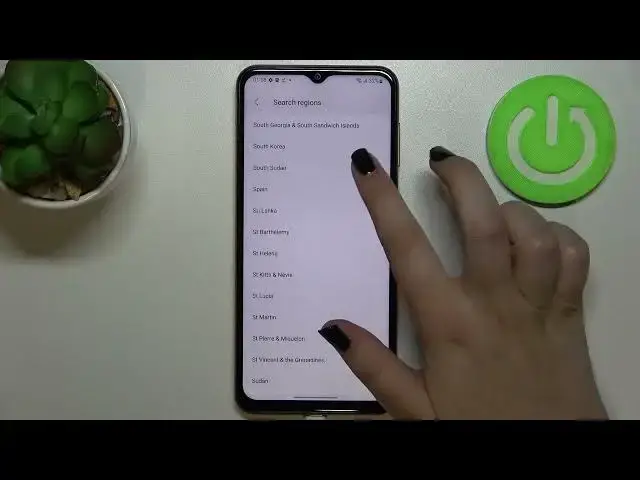
will be immediately applied to the status bar. The same situation with the time zone, just tap on the region and here we will be able
1:06
to find the one we would like to use so basically all you have to do is to simply find the one
1:11
you'd like to set and tap on it so let me pick for example the whatever, the South Korea
1:17
and as you can see it has been immediately applied but of course be aware that after
1:21
changing the time zone the time will also change according to it
1:25
Right here we can decide what kind of clock format we want to use so currently we are
1:29
using 24 hour format but if you'd like to use 12 hour format just tap on the switcher
1:35
and as you can see it will be immediately applied also here and it will be visible on
1:41
the status bar also. So basically that's all, this is how to customise, how to manually set the date and time and
1:48
of course if you want to you can go back to our previous settings, just tap on those
1:52
switchers to use 24 hour format, use automatic time zone and date and time
1:59
So actually this is it, this is how to change date and time in your Samsung Galaxy M13
2:03
Thank you so much for watching, I hope that this video was helpful and if it was please
2:07
hit the subscribe button and leave the thumbs up