0:00
Hi everyone, here we've got a GIGASET GS190 and let me share with you how to change date
0:11
and time on this device. So first of all we have to enter the settings and now let's scroll down and tap on the system
0:18
Here we've got the date and time option here so let's tap on it and right now we've got
0:23
some options which we can customize. So first of all we can decide if we want to use automatic date, time and time zone
0:31
We can also set it manually so just up here and here we can turn it off so then we will
0:37
be able to set it manually as I said or we can use GPS provided time but let me turn
0:42
it off and as you can see the date and time options are active. The same situation with the time zone so let's tap on the switcher to turn on the time zone
0:51
and let's pick the date from this calendar so let me pick for example this one, tap on
0:57
OK and as you can see it immediately changes. The same situation with the time, from this clock we have to choose the time we want to
1:05
currently set and confirm it with OK. As you can see it immediately appears on the status bar also
1:12
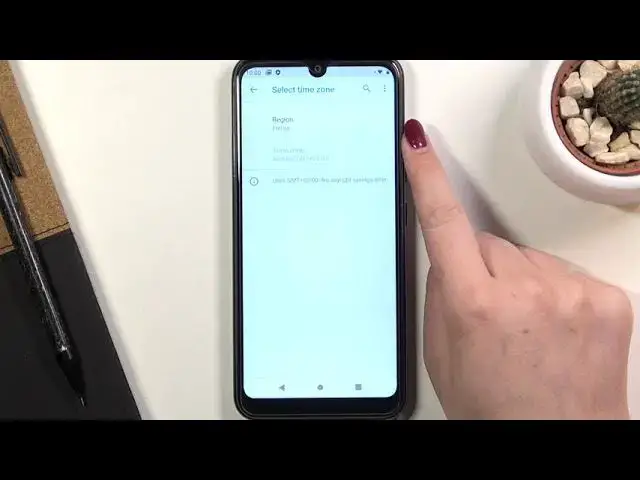
Let's select the time zone just up on the region and as you can see we've just been
1:17
transferred to the full list of all available regions from which we can choose
1:22
So simply tap on the one you'd like to set and get back and as you can see it has been
1:26
immediately applied but be aware that after changing the time zone the time will also
1:30
change according to it. Here we've got also some options which are connected to the clock format so here we can
1:39
decide if we want to use 24 hour format just like now or 12 hour format
1:44
So obviously in order to use 12 hour format just tap on the switcher here and it will
1:49
immediately change. So actually this is it, this is how to change date and time manually
1:57
Obviously you can go back to all previous settings, just tap on the switcher here to use 24 hour format, here to use automatic time zone and here to use network provided
2:05
date and time. So actually that's all. This is how to change date and time in your Gigaset GS190
2:12
Thank you so much for watching. I hope that this video was helpful and if it was please hit the subscribe button and