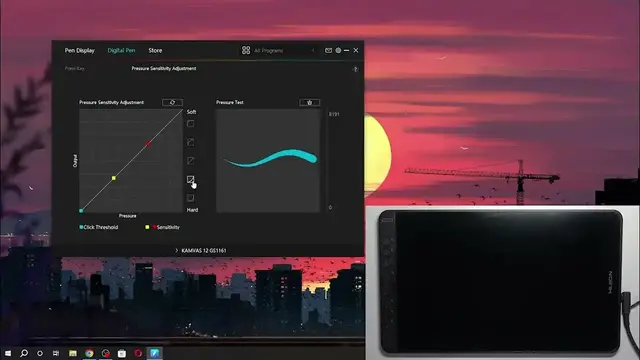

How to Adjust Pen Pressure Sensitivity on Your Huion Kamvas 12
Mar 3, 2024

Find out more: https://www.hardreset.info/devices/
Dive into the world of digital art customization with our comprehensive guide on adjusting the pen pressure sensitivity of your Huion Kamvas 12. This tutorial is a treasure trove for artists, designers, and anyone looking to fine-tune their drawing tablet to match their unique stroke style and pressure preferences. Learn how to seamlessly navigate the Huion software to make your pen more responsive or firmer, depending on your artistic needs. Whether you're sketching, inking, or painting, mastering your pen's pressure sensitivity can elevate your art, making every line and shade express exactly what you envision. This video not only guides you through the adjustment process but also shares tips on finding the perfect pressure sensitivity setting that complements your workflow. Perfect for creators at any skill level, our video will empower you to harness the full potential of your Huion Kamvas 12, making your digital art creation process more intuitive and satisfying.
#HuionPressureSensitivity
#DigitalDrawingTips
#ArtisticPrecisionEnhancement
Questions for Video Content:
How to access and modify the pressure sensitivity settings on your Huion Kamvas 12?
How to test and find the ideal pressure sensitivity for your drawing style?
How to make your Huion Kamvas 12 pen respond perfectly to your touch?
How to troubleshoot common pen pressure sensitivity issues on the Huion Kamvas 12?
How to save and switch between multiple pressure settings for different art projects?
Follow us on Instagram ► https://www.instagram.com/hardreset.info
Like us on Facebook ► https://www.facebook.com/hardresetinfo/
Tweet us on Twitter ► https://twitter.com/HardResetI
Support us on TikTok ► https://www.tiktok.com/@hardreset.info
Show More Show Less