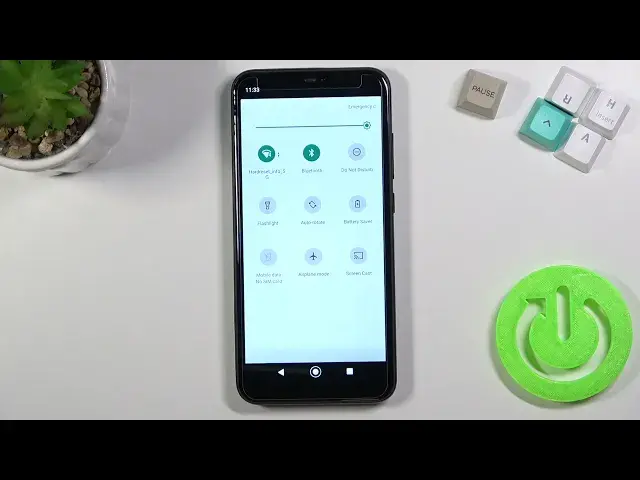

How to Adjust Notification Panel in XIAOMI Mi A2 Lite – Change Shortcuts
Jul 7, 2024

Learn more info about XIAOMI Mi A2 Lite:
https://www.hardreset.info/devices/xiaomi/xiaomi-a2-lite/
This tutorial will help you to adjust shortcuts in the notification panel in your XIAOMI Mi A2 Lite, so don't miss it. Follow our instructions and find out how to add new shortcuts or how to remove unnecessary shortcuts. Our specialist will also show you how to reorganize shortcuts. Visit our YouTube channel if you want to watch more tutorials for your XIAOMI Mi A2 Lite.
How to Change Bar Navigation in XIAOMI Mi A2 Lite? How to Manage Navigation Bar in XIAOMI Mi A2 Lite? How to Open Navigation Bar Settings in XIAOMI Mi A2 Lite? How to Customize Navigation Bar in XIAOMI Mi A2 Lite? How to Set Up Navigation Bar in XIAOMI Mi A2 Lite? How to Change Navigation Bar Settings in XIAOMI Mi A2 Lite? How to Enter Navigation Bar Settings in XIAOMI Mi A2 Lite? How to Find Navigation Bar Settings in XIAOMI Mi A2 Lite? How to locate Navigation Bar Settings in XIAOMI Mi A2 Lite? How to Customize Navigation Bar Settings in XIAOMI Mi A2 Lite? How to Manage Navigation Bar in XIAOMI Mi A2 Lite?
#CustomizeNavigationPanel #ChangeNavigationPanel #XIAOMIMiA2Lite
Follow us on Instagram ► https://www.instagram.com/hardreset.info
Like us on Facebook ► https://www.facebook.com/hardresetinfo/
Tweet us on Twitter ► https://twitter.com/HardResetI
Support us on TikTok ► https://www.tiktok.com/@hardreset.info
Use Reset Guides for many popular Apps ► https://www.hardreset.info/apps/apps
Show More Show Less