0:00
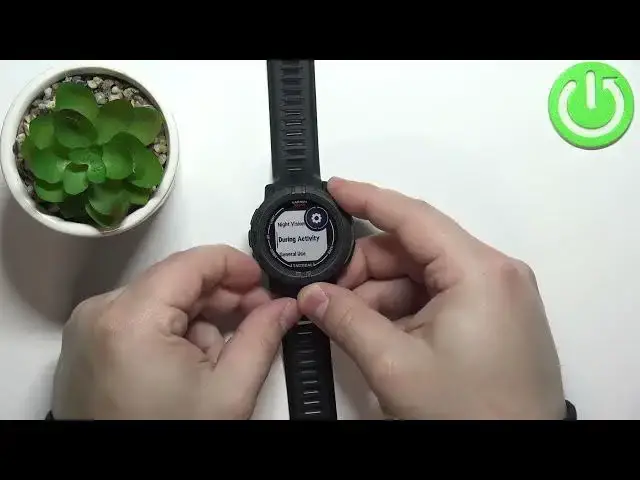
Welcome! In front of me I have Garmin Instinct 2 Solar Tactical and I'm gonna
0:11
show you how to adjust the backlight brightness on this device. Basically when
0:17
you press the light button on your watch it's gonna turn on the backlight and you
0:22
can adjust the brightness of it. I'm gonna cover the light from the
0:27
camera and as you can see when I press the light button the backlight turns on. And to adjust the brightness of your backlight press and hold the menu button
0:36
to open the menu. Then scroll down by pressing the down button. Keep scrolling
0:41
until you find the system option. Once you select the system press the GPS
0:47
button. Here scroll down, select the backlight option and press the GPS. And
0:54
right here we can enable or disable the night vision. Like that. But to adjust the
1:01
brightness we need to select either during activity, general use or during
1:06
sleep. We have like three phases or statuses basically. We have during activity. This is
1:13
when you're tracking the activity on your watch. For example running, some
1:18
running or swimming and stuff like that. And here you can adjust the brightness
1:22
for that. So if you're tracking the activity the brightness will be different than when you're using your normal watch normally in general use. And
1:30
of course we can also do it for sleep. So first let's select the during activity
1:35
So select it and press GPS and here we have the brightness option. Select it
1:40
press GPS and we can adjust the brightness by using the up and down
1:45
buttons. Adjust it to the level you like then press the GPS button to confirm
1:51
Then press back button, select general use. This is when you're using your watch
1:59
normally, not tracking any activity, just simply using your watch. And press the
2:04
GPS button and again select brightness, press GPS, adjust the brightness and press
2:10
GPS to confirm. Then press back button and let's select the sleep, during sleep
2:16
now. This is when the watch detects that you're sleeping or you have the
2:20
sleep time set up on your watch, if it's paired with your phone basically. And you
2:25
can select the option, press GPS, select brightness and adjust the brightness. And
2:31
then press the back button couple of times to go back to watch face. Okay and
2:37
that's how you adjust the backlight brightness on this device. Thank you for
2:42
watching. If you found this video helpful please consider subscribing to our
2:46
channel and leaving a like on the video