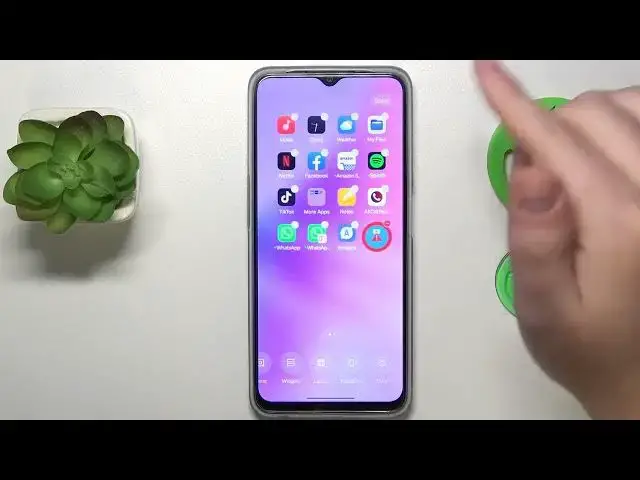

How to Add Widgets on Oppo Phone - Customize Your Home Screen with Style!
Jul 31, 2024

More Oppo Phone and Devices Tips&Tricks: https://www.hardreset.info/devices/oppo/
Welcome to our channel, your ultimate destination for all things Oppo! In this exciting video, we'll guide you on how to add widgets on your Oppo phone, allowing you to personalize your home screen with style and functionality. If you've ever wanted to enhance your smartphone experience by adding useful and visually appealing widgets, this tutorial is a must-watch!
In this comprehensive guide, we'll walk you through the process of adding widgets on your Oppo device effortlessly. Whether you own an Oppo Find X3 Pro, Oppo Reno5 Pro, or any other Oppo model, our techniques are applicable and user-friendly for all. You'll learn how to access the widget menu, browse through a wide range of widgets, and place them on your home screen for quick access to information and shortcuts.
Customizing your home screen with widgets is a fantastic way to personalize your Oppo phone and make it truly your own. From weather updates and calendar events to music controls and news headlines, widgets provide a convenient and glanceable way to access important information and functions. We'll show you how to add and arrange widgets to suit your preferences and create a home screen that reflects your style and needs.
Join us in this exciting tutorial and unlock the potential to transform your home screen into a functional and visually appealing hub. Say goodbye to a static and dull home screen and embrace the power of customization. Don't miss out on this opportunity to make your Oppo phone uniquely yours and elevate your smartphone experience!
#AddWidgets #CustomizeHomeScreen #OppoPhoneTips
How to add widgets on my Oppo phone to customize my home screen with useful information and shortcuts?
Can I choose from a variety of widgets and arrange them according to my preferences on my Oppo device?
What are the benefits of adding widgets to my home screen for a convenient smartphone experience?
Are there any special tips or tricks to enhance the customization of widgets on Oppo phones?
How can I create a visually appealing and functional home screen by adding widgets to my Oppo phone?
Follow us on Instagram ► https://www.instagram.com/hardreset.info
Like us on Facebook ► https://www.facebook.com/hardresetinfo/
Tweet us on Twitter ► https://twitter.com/HardResetI
Support us on TikTok ► https://www.tiktok.com/@hardreset.info
Use Reset Guides for many popular Apps ► https://www.hardreset.info/apps/apps/
Show More Show Less