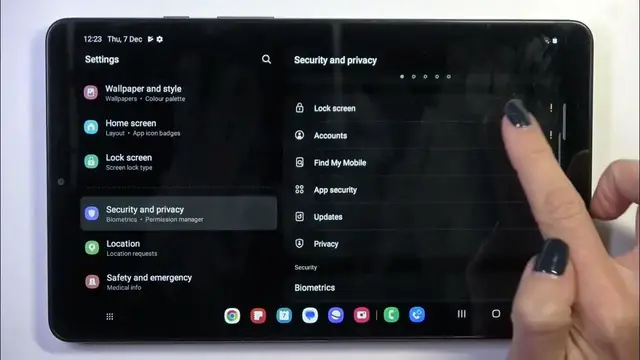

How To Add Face ID Instead Of Fingerprint On Samsung Galaxy Tab A9
Dec 19, 2023

Find out more about Samsung Galaxy Tab A9 : https://www.hardreset.info/devices/samsung/samsung-galaxy-tab-a9/tutorials/
Enhance the security features on your Samsung Galaxy Tab A9 by learning how to add Face ID for a convenient and efficient unlocking experience. This tutorial guides you through the steps to set up Face ID, providing an alternative to fingerprint recognition. Watch the video to discover how to personalize your tablet's security settings.
How do I add Face ID on Samsung Galaxy Tab A9?
Where can I find the option to set up Face ID in the tablet's security settings?
Why might I prefer using Face ID over fingerprint recognition on my Galaxy Tab A9?
Can I use both Face ID and fingerprint recognition simultaneously on the tablet?
How secure is Face ID on Samsung Galaxy Tab A9?
Are there lighting or environmental considerations for Face ID setup?
What to do if Face ID is not working as expected on my tablet?
Can I add multiple faces for Face ID recognition on Galaxy Tab A9?
What is the process for removing or updating Face ID settings?
#samsunggalaxytaba9 #samsunggalaxy #Samsung
Follow us on Instagram ► https://www.instagram.com/hardreset.info
Like us on Facebook ► https://www.facebook.com/hardresetinfo/
Tweet us on Twitter ► https://twitter.com/HardResetI
Support us on TikTok ► https://www.tiktok.com/@hardreset.info
Use Reset Guides for many popular Apps ► https://www.hardreset.info/apps/apps/
Show More Show Less