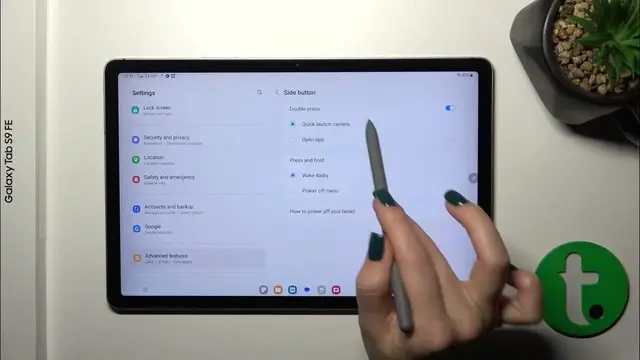

How to Activate Quick Launch on SAMSUNG Galaxy Tab S9 FE - Use Double Tap Power Key or Volume Key
Jan 19, 2024

Find out more about SAMSUNG Galaxy Tab S9 FE:
https://www.hardreset.info/devices/samsung/samsung-galaxy-tab-s9-fe/tutorials/
Hi! Discover the power of Quick Launch on your SAMSUNG Galaxy Tab S9 FE, where a simple double tap on the power key or volume key unlocks a universe of possibilities. Our specialist guide will unveil the secrets behind this feature, enabling you to launch your favourite applications using only one button. Visit our YouTube channel if you want to know more about SAMSUNG Galaxy Tab S9 FE.
How to activate quick launch on SAMSUNG Galaxy Tab S9 FE? How to activate quick feature on SAMSUNG Galaxy Tab S9 FE?
#ActivateQuickLaunch #QuickLaunch #SAMSUNGGalaxyTabS9FE
Follow us on Instagram ► https://www.instagram.com/hardreset.info
Like us on Facebook ► https://www.facebook.com/hardresetinfo/
Tweet us on Twitter ► https://twitter.com/HardResetI
Support us on TikTok ► https://www.tiktok.com/@hardreset.info
Use Reset Guides for many popular Apps ► https://www.hardreset.info/apps/apps/
Show More Show Less