0:00
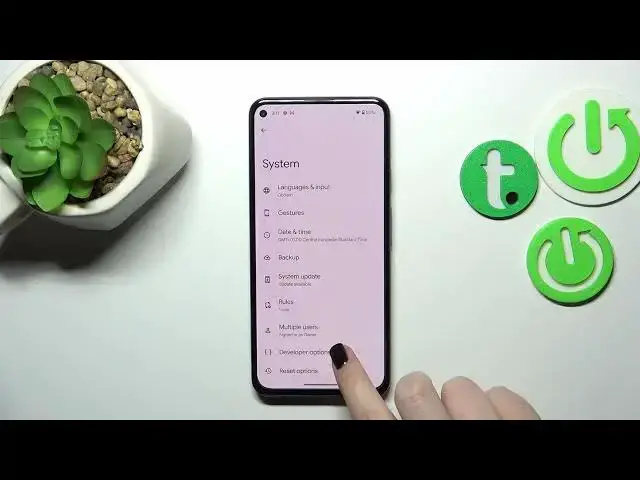
Hi everyone! In front of me I've got Google Pixel 5a and let me share with you how to enable
0:05
developer options on this device. So first of all we have to open the settings and now let's scroll
0:13
down to the very bottom to find about phone. Now we have to scroll down again to localize the build
0:19
number and it may be quite confusing what I will do right now but all you have to do in order to
0:25
activate the developer options is to simply keep tapping on the build number until you'll see that
0:29
you're in the developer mode. As you can see if you've got any kind of screen lock currently set
0:34
you will have to enter it in order to confirm the whole step and as you can see right now we
0:38
are a developer so we can go back to the general settings and tap on the system and the developer
0:43
options will appear right here so let's enter and as you can see we've got plenty of advanced
0:47
settings which we can customize so for example we can enter the background check, here we can
0:53
simulate color space, we can show view updates, change the window animation scale, show surface
0:59
updates, show visual feedback for tabs, we've got some options which are connected to networking
1:04
because we've got the bluetooth, the usb, wi-fi and so on. We've got system tracing and so on and so
1:09
on so quite a lot of options. So in order to turn on the option it basically works just like in
1:15
regular options so just tap on the switcher and as you can see it is immediately activated and
1:20
applied. Of course you can turn it off the same way and if we've got the options without the
1:25
switcher so for example like here in the window animation scale just tap on it in order to open
1:30
much more advanced settings. So if you are done with customization of developer options and if
1:34
you'd like to turn them off just tap on the switcher at the very top and as you can see most of
1:39
the options will be inactive and after getting back to the system the developer options will
1:43
disappear but of course no worries you can customize them again just go back to the build
1:47
number step and keep tapping. So basically that's all. This is how to enable developer options in
1:53
your Google Pixel 5a. Thank you so much for watching. I hope that this video was helpful
1:58
and if it was please hit the subscribe button and leave the thumbs up