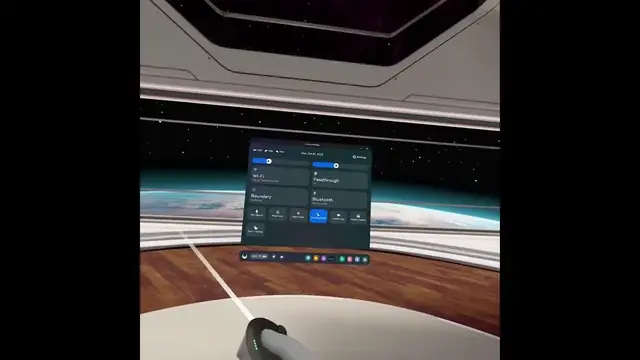

How to Activate a Pass Through on the New Oculus Meta Quest 3
Jan 18, 2024

Find out more: https://www.hardreset.info/devices/meta/meta-oculus-quest-3/
Meta Quest 3, a beacon of innovation in the VR realm, offers a plethora of features to enrich your virtual reality experience. Among these, the pass-through feature stands out as a vital component, seamlessly bridging the virtual world with your physical surroundings.
Exploring Meta Quest 3's Versatility
The Meta Quest 3 VR headset brings boundless possibilities to the table. To ensure you can make the most of your VR adventures, it's essential to master the pass-through feature. This comprehensive guide will lead you through various activation methods, ensuring a smooth transition between the virtual and real world.
Method 1: Initiating Pass Through
To begin using the pass-through feature, follow these simple steps. Ensure your Meta Quest 3 is powered on and ready to go. Head to the settings menu and locate the 'Pass Through' option. With a tap, you'll activate the pass-through mode, providing a clear view of your real-world surroundings while wearing the headset.
Method 2: Quick Settings for Instant Access
For a rapid transition, the quick settings menu provides a convenient solution. A dedicated button on your Meta Quest 3 simplifies the process. A quick press is all it takes to immerse yourself in the pass-through mode. This method is perfect for those who desire a swift switch between the virtual and physical worlds.
Method 3: Harnessing the Power of Hand Gestures
For a more interactive experience, you can activate pass-through mode with a simple hand gesture. Locate the side of your headset, where the Type-C charging port resides. Two quick taps, and you'll witness the magic of pass-through mode in action. This approach adds a layer of interactivity to your VR experience, enhancing immersion.
Exploring Hand Tracking
To elevate your VR experience, delve into hand tracking technology. This feature enables you to control your Meta Quest 3 with intuitive hand gestures, further enhancing your immersion. When in hand tracking mode, you can effortlessly transition to pass-through mode with a simple gesture.
In Summary
In conclusion, you have several user-friendly methods at your disposal to enable the pass-through feature on your Meta Quest 3. Whether you prefer the simplicity of a button press, the interactivity of hand gestures, or accessing it through the settings menu, the choice is yours. This feature enriches your VR journey by allowing you to seamlessly interact with your real-world environment while immersed in the virtual world.
This guide ensures you unlock the full potential of your Meta Quest 3. If you've found this information helpful, remember to like, subscribe, and continue your exploration of the limitless possibilities of VR technology. Thank you for joining us on this exciting journey, and happy VR gaming!
Follow us on Instagram ► https://www.instagram.com/hardreset.info
Like us on Facebook ► https://www.facebook.com/hardresetinfo/
Tweet us on Twitter ► https://twitter.com/HardResetI
Support us on TikTok ► https://www.tiktok.com/@hardreset.info
Use Reset Guides for many popular Apps ► https://www.hardreset.info/apps/apps/
#metaquest3 #oculus3 #bypass
Show More Show Less