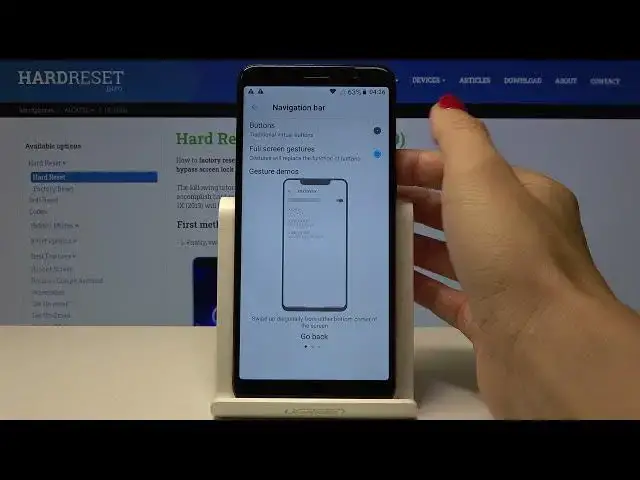

How to Access Navigation Bar Options in Alcatel 1X 2019 – Change Buttons
Apr 21, 2024

Check out more information’s about Alcatel 1X 2019: https://www.hardreset.info/devices/alcatel/alcatel-1x-2019/
Today, we are coming to you, how to Access Navigation Bar Options in Alcatel 1X 2019! After getting into those device options, you’ll be able to Change Buttons on your smartphone, in a matter of minutes. Watch this video, and with help of our expert, Adjust your Navigation Bar to the one that’s the most comfortable for you. Let’s get started!
How to Change Bar Navigation in ALCATEL 1X 2019? How to Manage Navigation Bar in ALCATEL 1X 2019? How to Open Navigation Bar Settings in ALCATEL 1X 2019? How to Customize Navigation Bar in ALCATEL 1X 2019? How to Set Up Navigation Bar in ALCATEL 1X 2019? How to Change Navigation Bar Settings in ALCATEL 1X 2019? How to Enter Navigation Bar Settings in ALCATEL 1X 2019? How to Find Navigation Bar Settings in ALCATEL 1X 2019? How to locate Navigation Bar Settings in ALCATEL 1X 2019? How to Customize Navigation Bar Settings in ALCATEL 1X 2019? How to Check Navigation Bar Options in ALCATEL 1X 2019? How to Manage Navigation Bar in ALCATEL 1X 2019? How to Manage Home, Back and Recants Button in ALCATEL 1X 2019? How to Change Navigation Bar Appearance in ALCATEL 1X 2019? How to Change Appearance of the Navigation Bar in ALCATEL 1X 2019?
Follow us on Instagram ► https://www.instagram.com/hardreset.info
Like us on Facebook ► https://www.facebook.com/hardresetinfo/
Tweet us on Twitter ► https://twitter.com/HardResetI
Support us on TikTok ►https://tiktok.com/@hardreset.info
Use Reset Guides for many popular Apps ► https://www.hardreset.info/apps/apps/
Show More Show Less