
Comprehensive Guide to Changing the Language on Meta Quest 3
Jan 18, 2024

Find out more: https://www.hardreset.info/devices/meta/meta-oculus-quest-3/
In today's digital age, virtual reality experiences have become more accessible than ever. The Meta Quest 3, a cutting-edge VR headset, allows users to immerse themselves in a world of possibilities. However, if you find yourself struggling with the default language settings or simply want to explore the device in your preferred language, this guide is here to help. We'll take you through the step-by-step process of changing the language on your Meta Quest 3. By the end of this comprehensive guide, you'll be navigating your VR world with ease.
I. Getting Started:
To initiate the language change process, we'll begin by accessing the device's settings. Follow these simple steps:
Power on your Meta Quest 3 and ensure it's connected to your headset.
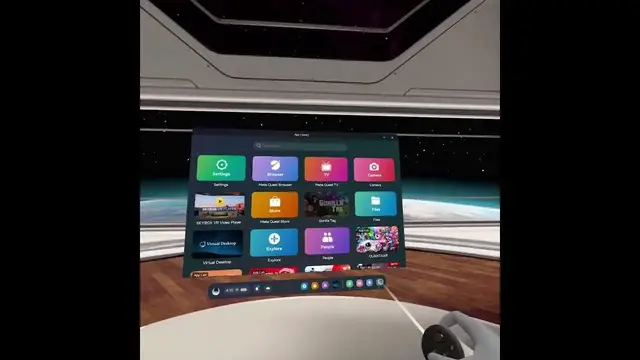
Look at the icons displayed on your screen; if you're uncertain about the language currently in use, this visual approach will be helpful.
II. Navigating the Settings:
Understanding how to navigate the settings menu is crucial. Here's how to access it:
Locate the gear icon on your screen; this is the gateway to your settings.
If you see an upgrade icon nearby, it's also an important part of the process.
By default, you'll find yourself in the main settings page, but we're looking for a specific area.
III. Accessing System Settings:
In order to change the language, we need to access the system settings. Follow these steps:
Navigate to the very first tile, which is labeled "System."
Next, look for the section related to language and region settings, often indicated by a globe icon.
In most cases, you'll find only one option, which is "language." Click on it to proceed.
IV. Selecting Your Desired Language:
Now that you've located the language settings, it's time to choose your preferred language. Here's what you need to do:
From the list of available languages, select the one that you want to set as the default.
After making your selection, the system will prompt you to restart the headset to apply the changes.
To confirm the language change, select the top option, typically highlighted in blue.
V. Completing the Process:
With the final step, your Meta Quest 3 will restart and come back in your newly selected language. You've successfully changed the language on your VR headset, making it more accessible and user-friendly.
Conclusion:
This comprehensive guide has provided you with detailed instructions on how to change the language on your Meta Quest 3. We hope you found this guide helpful in customizing your VR experience. Don't forget to like, subscribe, and stay tuned for more informative content. Your satisfaction is our priority, and we're here to make your virtual reality journey as enjoyable as possible. Thank you for watching!
Follow us on Instagram ► https://www.instagram.com/hardreset.info
Like us on Facebook ► https://www.facebook.com/hardresetinfo/
Tweet us on Twitter ► https://twitter.com/HardResetI
Support us on TikTok ► https://www.tiktok.com/@hardreset.info
Use Reset Guides for many popular Apps ► https://www.hardreset.info/apps/apps/
#metaquest3 #oculus3 #changelanguage
Show More Show Less