0:00
Hi, welcome to Hard Reason Info channel, the viewers in front of me, a printer, in front of me
0:06
HP, Inc, Teng, Wireless 410 series printer and now I'm going to show you how to connect, not how to
0:16
print, how to print using your printer using the iPhone. Okay, so first, what we need to do
0:29
we can print using two ways first way using Wi-Fi Direct and second way using the HP Smart
0:42
application or just network so in the first way you need to connect your iPhone to the
0:50
Wi-Fi Direct network iPhone doesn't support Wi-Fi Direct but this printer sharing not only
0:59
Wi-Fi Direct network but normal Wi-Fi 2 with one difference. If you want to connect to the normal Wi-Fi network you need to provide the password
1:11
You need to use Android device with Wi-Fi Direct future if you want to connect without
1:18
the password to your printer, but if you want to connect to this printer using the iPhone
1:24
you need to provide the password. default your password from your printer is 1 to 3456 7 8 and as you can see I'm
1:34
successfully connected and of course you need to enable Wi-Fi Direct future it's here so
1:39
click on it when light will white you will be able to connect so great great great great great
1:49
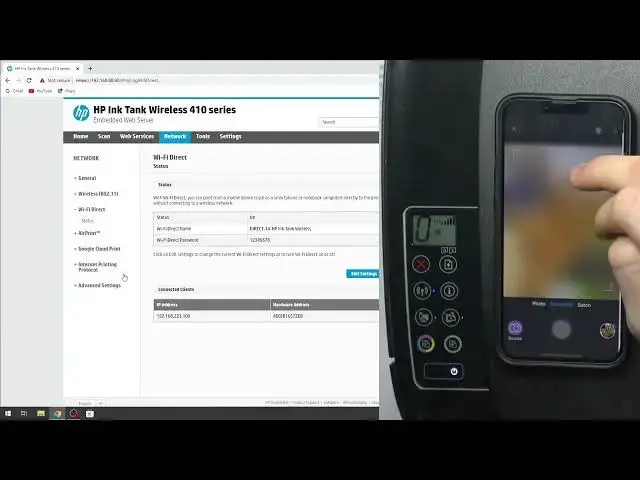
if you want to check the password from your Wi direct in the open an amputed web server then click network click Wi Direct status and here you will see wait here you will see the password from your from your
2:12
Wi-Fi Direct. But if you have set up your printer with the network, if your printer is connected to the Wi-Fi
2:24
Wi-Fi rotor and your printer is visible in the network. So I'm not removing it
2:34
You can print without Wi-Fi direct. So just open the document you want to print, click print, scroll down, print
2:44
wait a while, click, click printer, and find here your HP ink tank wireless, print
2:53
wait a while... And... And..
3:18
...and, so great, the page was a super printed. And that's it
3:22
so if you have this error message on your screen just click on cancel button
3:29
then if you want to print using an HP smart application into install a HP Smart
3:37
application then scroll left and here click setup and or add to HP Smart and click
3:46
complete now not get started but complete now find here your HP tank
3:52
Okay click on it as you can see here you have settings of your printer And here you have shortcuts fax print photos documents and other features
4:05
For example, click camera scan, click okay. For example, I will take a photo
4:23
great as I can see I have to take a photo and click next no thanks
4:35
now print review so maybe it's not a good idea because it will take a while printing
4:53
this photo because it contains a lot of information and this is ink printer not the laser
5:02
printer so it will take several minutes so i will not do it now but i think you have you have
5:10
understood the algorithm of printing so exit oh she so sorry ad image uh go home go home great print documents you can print documents you can print a document
5:23
print photos, you can use shortcuts for example, so just shortcuts. Here you can create shortcuts to fast print documents for example
5:50
For example you can add your chablons for your work or for example to do list your or another chablons and quick print with shortcuts you have print tables here with
6:07
shortcuts too for example open print tables and here you have many shortcuts for
6:15
every day for example you can print calendar list so just click print
6:22
review and print HP ink tank maybe not January okay okay so I don't want to
6:29
to print all calendar so for example I want to print this this print so HP Silk
6:39
Ink Tank print print copy is one two if you want black and white print wait
6:47
wait for you and So now I have an error of printing from printables
7:04
I don't know why but as you can see my application is freezing
7:12
So it's a problem of my HP smart application on iPhone. So in this way you can print documents with documents
7:24
I think you will not have the problems. You can print any documents from the Google Drive so you can connect your Google Drive for
7:35
this printer and connect any documents from the Google Drive. And that's it
7:42
Thanks for watching. Like this video, subscribe to the other channel and bye