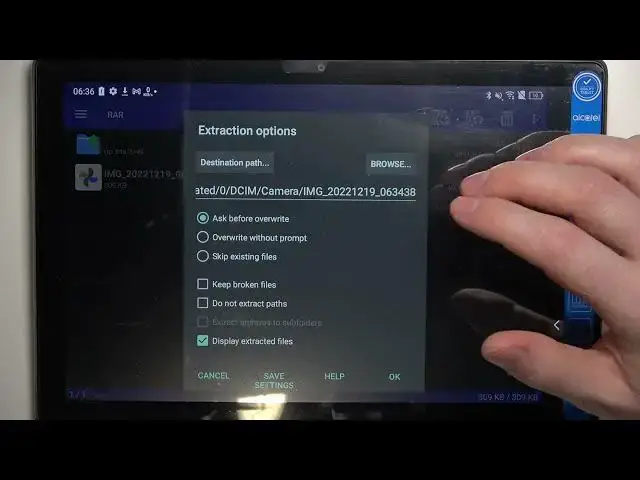

Alcatel 3T 10 4G - How To Extract Rar & Zip Archives With Rar App
Jul 25, 2024

Check more info about Alcatel 3T 10 4G : https://www.hardreset.info/devices/alcatel/alcatel-3t-10-4g/tutorials/
To extract RAR and ZIP archives with a RAR app on the Alcatel 3T 10 4G, you can follow these steps:
Download and install a RAR app from the Google Play Store. There are many different options available, such as WinZip, WinRAR, and RAR for Android.
Open the RAR app.
Tap the "Open" button.
Navigate to the location of the RAR or ZIP archive that you want to extract.
Tap on the archive file to select it.
Tap the "Extract" button.
Choose a location to extract the files to. You can either extract the files to the same location as the archive or select a different location.
Tap the "OK" button to begin extracting the files.
The extracted files will be saved to the location that you selected.
Show More Show Less